


4 Best Free PST Viewers for Mac (2026) - Open PST Without Outlook




Outlook uses PST files to store users’ data and information. However, macOS does not natively support opening PST files, and most "free" Windows tools don't work here, especially if you don’t have Outlook installed.
In this guide, we’ll show you the best PST file viewers for Mac, including on M-series Apple Silicon Macs and the latest versions of macOS.
We'll cover how to quickly view email contents, attachments, search, convert, and the FAQs on this topic.
This guide is useful if you:
- Need to open PST files on Mac without Outlook
- Switched from Windows to Mac
- Want a free way to view old Outlook emails
- Want to import PST files to Gmail or convert them to formats like TXT or EML
What is PST and why do you need a viewer for it?
PST stands for Personal Storage Table; it is the file format Outlook uses to store mailbox data (email messages, tasks, notes, calendar data, etc.). You can think of it as a folder that stores all Outlook data, including both inbox and outbox data.
Why Opening PST Files on Mac is Difficult
- Microsoft Outlook for Mac doesn't support import PST files natively (.pst in Outlook for Windows and .olm in Outlook for Mac)
- Most online readers don't support large PST file - PST files are often 2 to 50 GB in size.
- No built-in Mac utility exists - unlike Windows (which has Outlook), macOS has no built-in app to open PST files, and Preview also failed to open it.
PST files are not simple text files. It is a proprietary file format from Microsoft, which means it is only compatible with MS Outlook and cannot be directly opened in other programs. This is where the role of a PST viewer comes into play. With these apps one can open, view, and manage PST file data without the need of MS Outlook.
The different types of PST viewers
We tested and reviewed a range of free and paid Mac PST readers that allow you to open and even convert PST files. There are two main types of PST viewers:
Offline PST Viewers: These include apps such as Enolsoft PST Viewer and MacUncle PST Viewer, which are desktop applications and require no internet connection to use.
They typically offer more advanced features and capabilities than online viewers; the large file support is especially useful, as PST file sizes are often large, especially for users who exchange lots of PowerPoint presentations and other large files via email. It can be up to 50 GB in size.
Online PST Viewers: These are web-based tools that allow you to view PST files directly in your browser, without installing any software. However, with online sites you need to upload PST files; please be aware of this fact if you're dealing with sensitive corporate PST data.
Examples of online PST viewers include GoldFynch PST Viewer and 4n6 PST File Reader.
Top Free Ways to View PST Files on Mac in 2026 (No Outlook Required)
Outlook for Mac still doesn't natively open .pst files (even in 2026), so you need a workaround. Here are the best truly free options that actually work on macOS - no Windows VM needed. We focus on viewer-only tools (reading emails, attachments, contacts, and calendars) since full editing usually requires paid software or conversion.
GoldFynch PST Viewer (Online & Completely Free)
Best for: Highly recommended for quick peek at small/medium PSTs on Mac
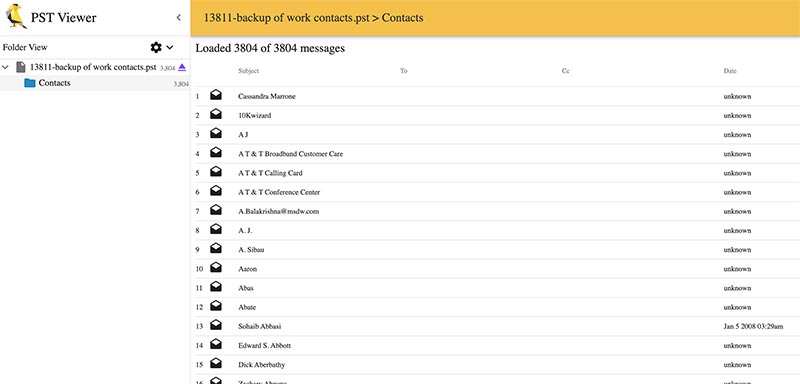
GoldFynch PST Viewer helps you quickly open PST files in your browser without Outlook and works as a reliable PST viewer for macOS.
During testing, the tool handled large PST files smoothly, but loading times increased slightly with files over 2GB.
PROS
- No sign-up needed
- Works instantly on any Mac
- Views emails and attachments
- Open multiple PST files
- Supports large files better than most online sites
- Supports OST format
CONS
- File-size limits on free tier
- No search option
- Upload needed
- No export in free version
Mac-Native PST Viewer Tools - View Unlimited PST Files
Best for: Lightweight PST view for Mac, good support for large PST files.
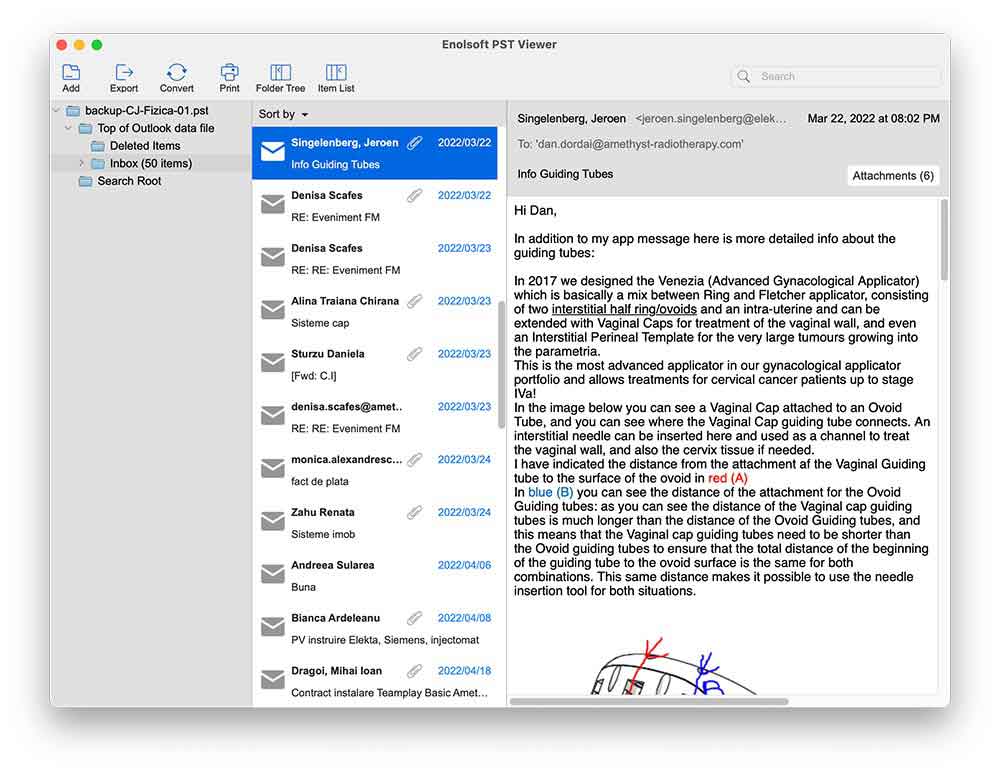
If you need a reliable PST file viewer for Mac that handles 10 GB+ archives without lagging, Enolsoft PST Viewer is our top recommendation for 2026.
This tool can open multiple PST files at once, allowing you to access an unlimited number of PST files without any hassle. It can open and access PST files from any version of Outlook, including 2024, 2021, 2019, 2016, 2013, and 2007.
The interface is very simple, ideal for beginners who just need to quickly open PST files on Mac.
In our test, when PST files are over 10GB, Enolsoft PST Viewer handles the file much faster than other apps.
Try the free demo version to see how this useful tool works.
PROS
- View email and all its attachments and properties
- Search a word within the file to located wanted contents quickly
- Batch import and view multiple PST files at a time
- Open PST files from all Microsoft Outlook versions (2021 and later)
- Supports both ANSI and Unicode PST files
- No file size-related issues and limitations
- Maintains all properties. No changes or modifications are made to the original content of the PST file.
- Extract or export Contents from PST Files
- Convert PST to formats like eml, vcf, ics, txt, etc.
- Works independently without installing Microsoft Outlook.
CONS
- Paid software
- No option for corrupt PST files
MacUncle PST Viewer - Free and view corrupted PST files
Best for: Free, no size limit and view corrupted PST files
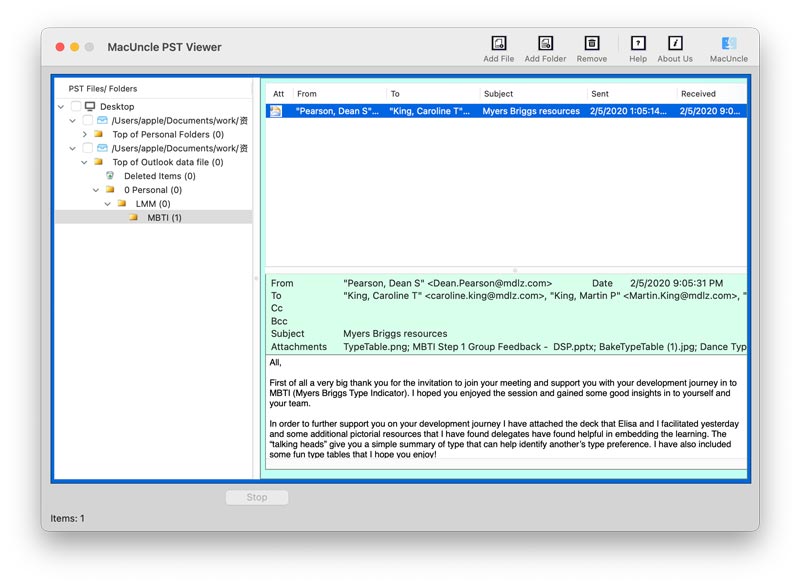
This is a free PST viewer tool that can be used to open Outlook PST data files even without the MS Outlook app. It supports opening large-size PST files (up to 30 GB) and viewing multiple PST files from all Outlook editions.
It has a simple interface and is one of the few apps that support reading corrupted PST files.
PROS
- Read PST content and attachments on Windows and Mac OS
- No changes to email formatting, folder order, and data integrity
- Reading corrupted Outlook emails
- Standalone, No need to install Microsoft Outlook
- View both ANSI and Unicode files
- View large PST files
- Read PST files in batches
CONS
- No search function
- No export function
- Slow loading time when file size exceeds 1 GB
- Old-fashioned interface
Pro Tip - If You Already Have Outlook for Mac
Best for: Official app for opening PST files on Mac
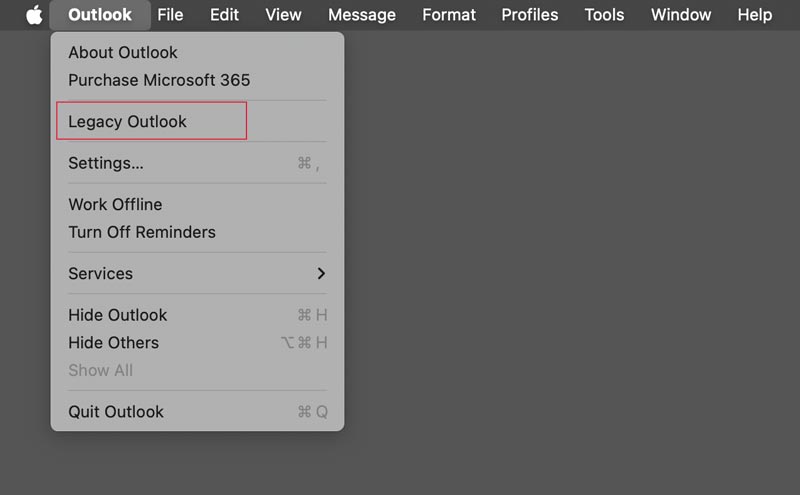
Outlook for Mac still can't open PST directly (as of 2026). As Outlook for Mac natively imports Outlook backup files in .olm format.
To access PST data on Mac, we have to import the PST file through Outlook >> Legacy Outlook. After switching, you will see the import option available in the File menu. Click the import option; it will start to load and convert the data into the Mac-compatible format.
PROS
- Open and search the emails/calendar/contacts in your PST file in Outlook as you would with any other email account
- Supports large files
CONS
- Indexing a PST file can take a long time depending on how fast your computer is and how large the file is (minutes or even hours)
- If the PST is from an very old version of Windows (ANSI format), it may not import
- Not ideal for pure viewing
How to choose a PST file viewer for Mac
To choose the right PST file viewer for Mac, consider the following factors:
- Compatibility: Ensure the viewer's compatibility with macOS.
- Features: Determine what features are important for your needs, such as support for OST files, the ability to open large PST files, the ability to handle both "Unicode" files (newer Outlook) and "ANSI" files (older Outlook), file exporting capabilities, and printing options.
- Ease of use: Consider the user interface, navigation options, and overall user experience.
- Price: Determine if the viewer is free or if it requires a purchase, and whether it fits within your budget.
- Privacy: (offline vs online tools)
FAQ – Common Mac PST Questions
Why is my PST viewer not showing any emails?
This usually happens if the PST file is from a very old version of Windows (ANSI format) or the PST file is password-protected. In that case, please choose a PST file viewer for Mac software that supports both Unicode and ANSI formats.
Are PST viewer tools safe? Does opening a PST file in a third-party tool change the file?
Most reputable tools are safe to use, especially desktop applications, as you don't need to upload your data. For people who are concerned about file change and metadata integrity, simply opening a file will change the “Last Accessed” date. But, rest assured that most of the PST viewers are designed to read the file in Read-Only mode, ensuring the file remains exactly as the source.
Is there a built-in Mac PST viewer?
No, macOS does not have a native PST viewer. Preview also don't read it.
What if my PST is corrupted?
Some tools (BitRecover) can read mildly corrupted files. You can test your file with it.
Can I just change the .pst extension to .txt for viewing?
PST is a database file, not simply a plain text file. Just changing the extension and opening it in a text editor will only show the file as unreadable garbage characters.
Conclusion
Hopefully this list has helped you find your best PST reader for Mac.
If you're still unsure, my advice is to start with a free one that you feel is suitable.
I’d love to hear what you thought of all these; please drop a comment below to share which worked best for your PST size/version.
Also, if you have an especially large or corrupted file, just share the details - I'll suggest next steps.

Bryan is the Chief Writer at Enolsoft for 15 years. He doesn’t just document software, he is more like a power user that bridges the gap between complex file management systems and the real people who use them, showing users the easiest way to turn digital chaos into streamlined efficiency.
Comments (0)
Leave a Reply