PDF Compressor
Reduce PDF file size without losing file quality.
Latest Version: {[ isMacOS ? '4.0.0 ' : '2.0.0 ' ]} (Release Note)
Available for
Why Need to Reduce PDF Size?
No impact on contents, not effect images resolution and not change file layout. It is useful for us to reduce PDF file size.
After reduced PDF files size, the storage requirements will automatically go down. Then you can store more files easier! In general, when we get the hint that our drive's storage is not enough, we usually choose to delete useless files or enlarge our drive storages.
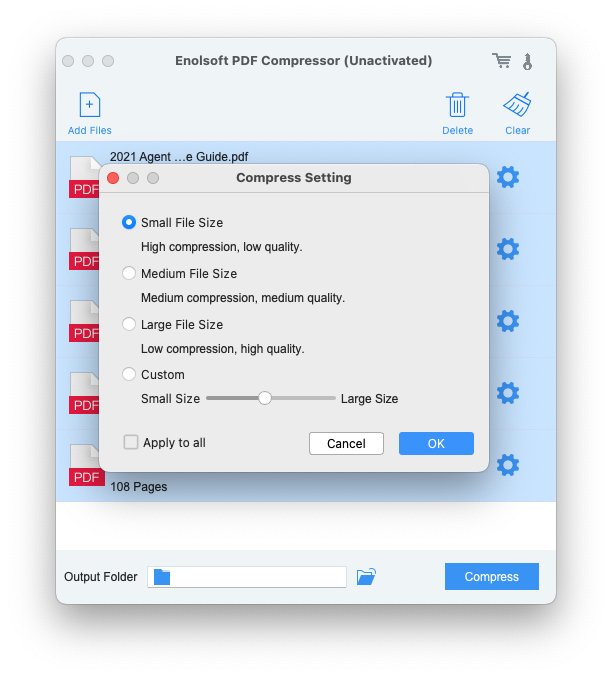
With Enolsoft PDF Compressor, you can set the size you want to compress depends on your requirement, including small size, medium size, large size, and custom size.
Have you ever waited like forever to upload or transfer files, and lost your patience in the end? Or finally you are ready to share your documents, but only to find there is size limit from the websites or platforms. Nothing can be more annoying than this.
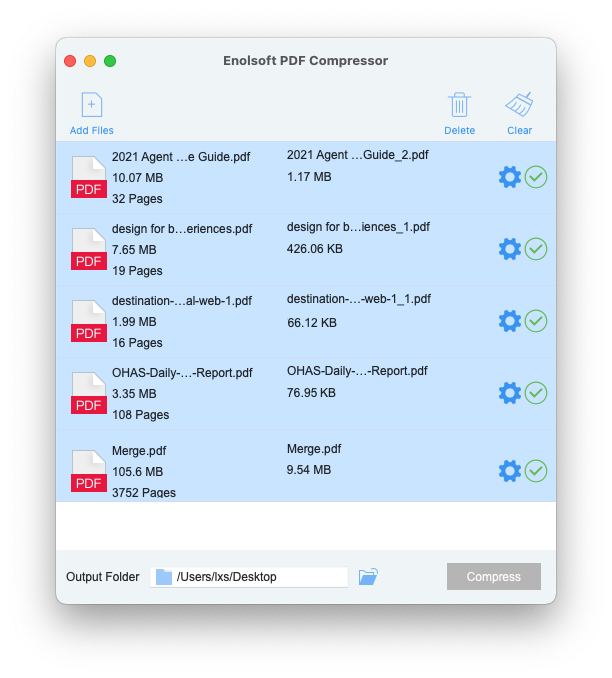
Enolsoft PDF Compressor helps you reduce PDF file size up to 95%, making your documents smaller and meet the file size requirements from a website. So the files can be transferred much faster, or uploaded without failure.

A PDF file gets large when it has a lot of vector or raster images, embedded fonts or others, which might degrade user experience due to longer loading time.
Enolsoft PDF Compressor can reduce the file size efficiently, by deleting unnecessary elements, compressing images, while keep the original file quality as much as possible. There are 4 compression modes designed for PDFs according to your needs.

Other Features to Make Your Compress Easily
How to Reduce PDF Files Size?
Three steps to reduce any PDF files size easily.
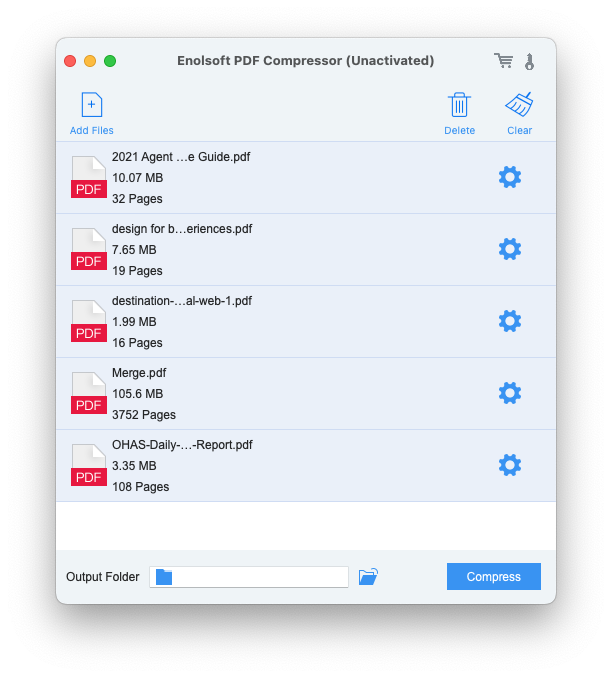
Drag-n-drop or click "+" to add PDF files.
Select a compression mode for output.
Click Compress to reduce PDF size in batches.
What else do you want to do?